
DCIM for broadcast
A DCIM alternative built for broadcast facilities
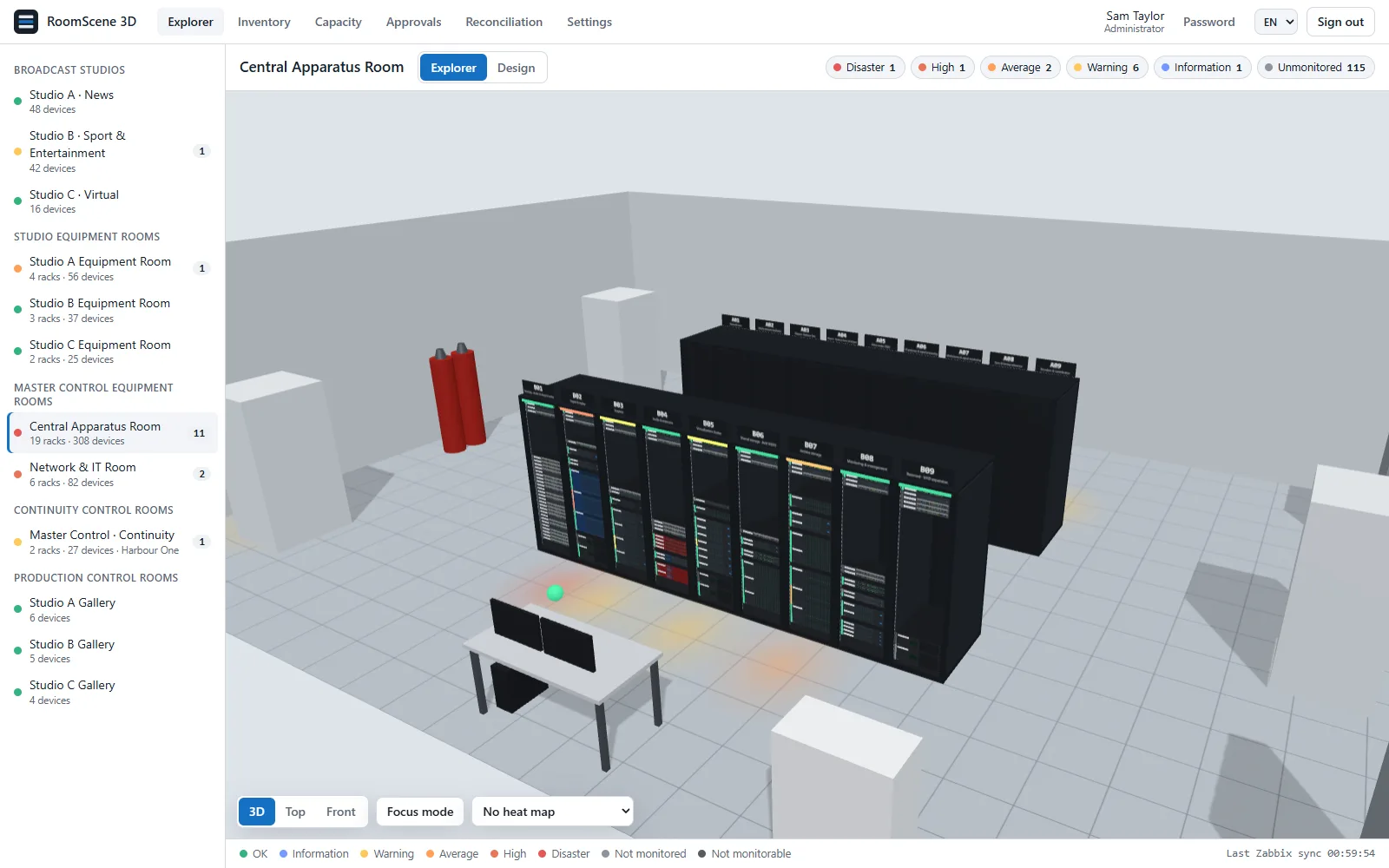
Data center infrastructure management tools are built for halls of identical racks. A broadcast facility is racks plus studios, galleries, camera pedestals, LED walls and a vision mixer that decides what is on air. RoomScene 3D covers both.
Download the 30-day trial Ask for a quote
Where a generic DCIM fits, and where it does not
If you run a colocation hall or an enterprise data center with hundreds of racks, a full DCIM suite does things RoomScene 3D does not: power chain modelling down to the breaker, building management integration, asset purchasing and contracts. That is a different job.
A broadcaster's problem is narrower and stranger. The equipment rooms are a few dozen racks full of frames, routers, playout servers and KVMs. Next door are studios and galleries where the expensive and fragile equipment is not in a rack at all. Monitoring is usually Zabbix already. And what matters at 21:00 is which camera is live.
Approach, side by side
| Generic DCIM | RoomScene 3D | |
|---|---|---|
| What it models | Data halls: rows of racks, power chain, cooling | Equipment rooms and racks, plus studios, galleries and control rooms |
| Floor equipment | Mostly racks and facility plant | Cameras, monitor walls, LED walls, lighting, desks, CRAC units in the same 3D scene |
| Live status | Its own polling engine, or an integration project | Your existing Zabbix, or a built-in ping/TCP check |
| Tally | Not a concept | TSL UMD 3.1/5.0: program and preview on the cameras |
| Deployment | Often SaaS, or a multi-server install | One Windows installer on your server, PostgreSQL included; runs offline |
| Licensing | Per rack, per device or per module, often with add-ons | Three yearly tiers by rack count; studios and control rooms free |
| Getting started | An implementation project | Install, import the Excel list, place the racks yourself or have us do it |
What RoomScene 3D does not do
- It is not a building management system and does not control anything.
- It does not poll PDUs by SNMP itself. Measured power and temperature come from Zabbix.
- No purchasing, contract or lease management.
- No automatic discovery of devices or cables.
If those are must-haves, a full DCIM suite is the better fit. If you need to know what is where, whether it is healthy, what is live and whether the next server fits, RoomScene 3D does that with less.
Who it is for
TV stations and playout centres, production and post facilities, OB companies with a base, university and corporate studios. Anyone with a mix of racks and studios who already monitors with Zabbix, or wants simple ping checks without building a monitoring system.
Cost in plain numbers
| Standard | Professional | Enterprise | |
|---|---|---|---|
| Racks | Up to 50 | Up to 200 | Unlimited |
| Price per year | $999 | $1,990 | $7,500 |
| Studios, galleries, control rooms | Not counted | Not counted | Not counted |
| Features | All | All | All |
| Installation | One server | One server | One server |
A facility with 120 racks and six studios pays $1,990 a year. The studios are free. A 30-day trial has every feature.
Questions
Can we run it next to an existing DCIM?
Yes. Export the device list from the DCIM to Excel and import it. Some teams keep the DCIM for the data hall and use RoomScene 3D for the broadcast side.
Is it a cloud service?
No. It is installed on your Windows server and your data stays there.
Try it on your own rooms
Install the trial on a test server, import one room from Excel and connect monitoring. Questions, quotes and licence requests: contact@roomscene3d.com.